
HTML to PDF Sample: Configuration and Run Guide
This guide explains how to configure and run the Foxit PDF SDK HTML to PDF sample in a Windows (Java) environment. To learn how to use this feature module through the API, see HTML to PDF.
System Requirements
- Platforms: Windows, Linux (x86 and x64), Mac
- Languages: C, C++, Java, C#, Python, Objective-C, Go
- License: A license key that includes the
Conversionmodule - SDK versions:
- Foxit PDF SDK (C++, Java, C#, Objective-C) 7.0+
- Foxit PDF SDK (C) 7.4+
- Foxit PDF SDK (Python) 8.3+
- Foxit PDF SDK (Go) 11.0+
The versions above are the minimum SDK versions that first introduced the features described in this guide for each listed language. Refer to the package documentation and release notes for the latest versions and platform differences.
Obtaining HTML to PDF Engine Resources
Request a trial through the Foxit Developer Hub, or contact your Foxit technical support team and sales representatives to obtain the HTML to PDF engine package.
Engine Support Notes
- Linux x86 platform: Starting with SDK 11.0, HTML2PDF uses the engine shipped with SDK v10.0 and will no longer receive updates. For the latest features, upgrade to the x64 platform.
- Other platforms: Windows, Linux x64, and Mac continue to use the latest engine files.
Sample Run Guide
Sample location:
- The html2pdf sample is located in the
\examples\simple_demo\html2pdfdirectory.
Build the HTML2PDF Engine Directory
Before running the html2pdf sample, extract the engine package to a specified directory (for example, extract to D:/htmltopdf/win/ on Windows) and pass the engine file path to the com.foxit.sdk.addon.conversion.Convert.fromHTML API to perform HTML to PDF conversion.
Configure the Sample
You can configure the html2pdf sample by editing \examples\simple_demo\html2pdf\html2pdf.java or by passing parameters directly from the command line. The example below shows configuration in html2pdf.java on Windows. Configuration on Linux and Mac follows similar steps.
Specify the HTML2PDF engine resource directory:
In html2pdf.java, add the path to the fxhtml2pdf.exe engine file to initialize the HTML to PDF conversion engine.

(Optional) Specify the cookies file path:
Add the cookies file path for converting web pages that require authentication.

Run the Sample
The html2pdf sample supports two run modes: run the SDK-provided executable directly without parameters, or run the sample with parameters.
Run without parameters:
Navigate to \examples\simple_demo\html2pdf and run RunDemo.bat. The console displays relevant output.
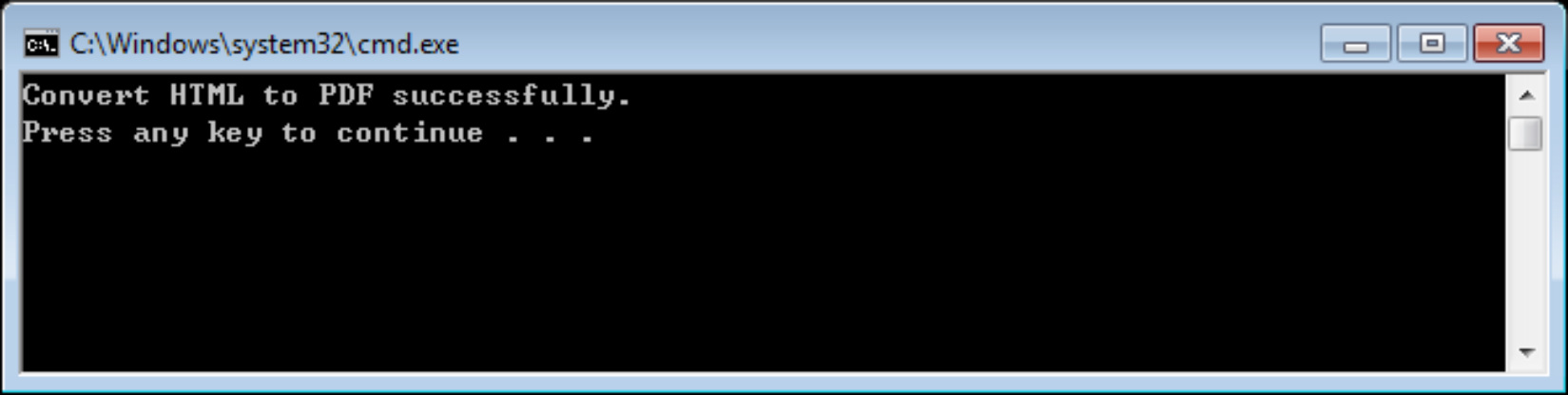
Run with parameters:
For command-line parameters, see HTML2PDF Sample Command-Line Parameters below.
- Navigate to
\examples\simple_demo\html2pdfand runRunDemo.bat. - Open a command-line window, navigate to
\examples\simple_demo\html2pdf, and runjava -Djava.library.path=../../../lib -classpath.;../../../lib/fsdk.jar html2pdf --helpto view parameter usage.
For example, to convert the web page "www.foxitsoftware.com" to a PDF file with a page width of 900 points and a height of 300 points:
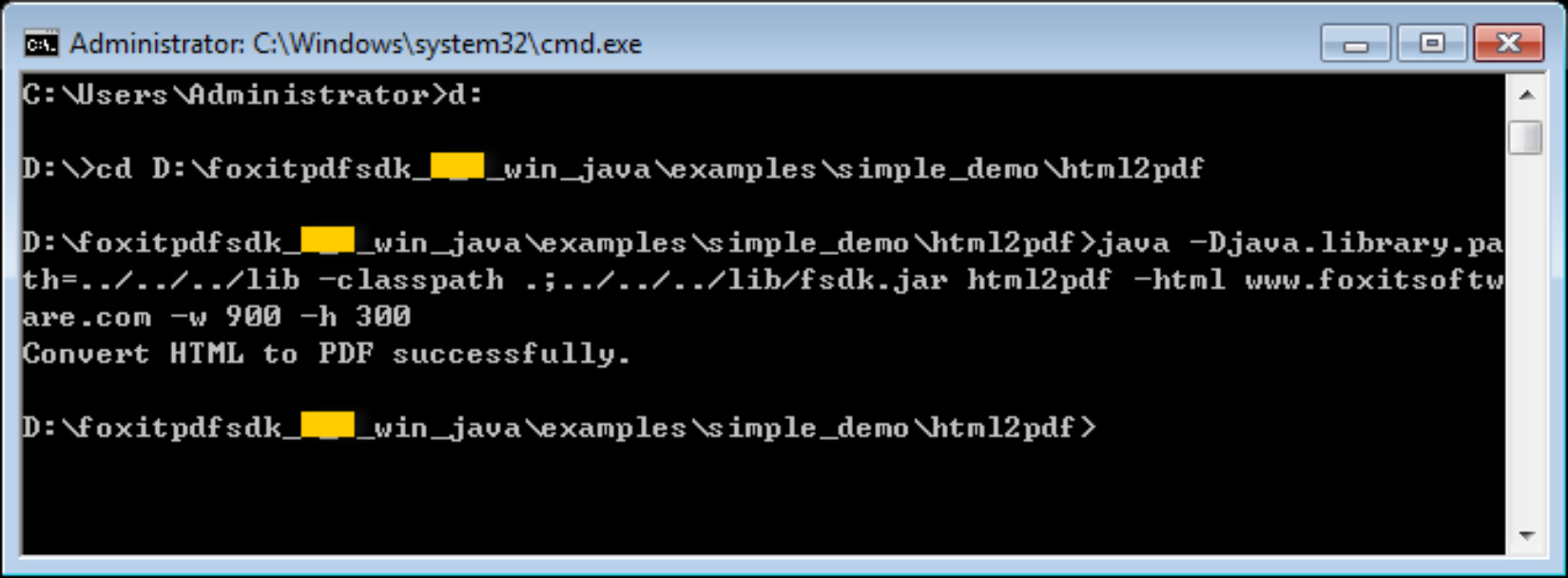
The converted PDF document is saved in \examples\simple_demo\output_files\html2pdf.
HTML2PDF Sample Command-Line Parameters
html2pdf supports running the sample with parameters. The following describes the command-line syntax and parameters.
Basic syntax:
[//]: # (*html2pdf\_xxx <-html <The url or html path>> <-o <output pdf path>> <)
[//]: # (-engine <htmltopdf engine path>>[-w <page width>] [-h <page height>] [-ml <margin left>] [-mr <margin right>]*)
[//]: # ()
[//]: # (*[-mt <margin top>] [-mb <margin bottom>] [-r <page rotation degree>] [-mode <page mode>] [-scale <scaling mode>] [-link <whether to convert link>]*)
[//]: # ()
[//]: # (*[-tag <whether to generate tag>] [-bookmarks <whether to generate bookmarks>]*)
[//]: # ()
[//]: # (*[-print\_background <whether to print background>]*)
[//]: # ()
[//]: # (*[-optimize\_tag <whether to optimize tag tree>] [-media <media style>] [-encoding <HTML encoding format>] [-render\_images <Whether to render images>]*)
[//]: # ()
[//]: # (*[-remove\_underline\_for\_link <Whether to remove underline for link>]*)
[//]: # ()
[//]: # (*[-headerfooter <Whether to generate headerfooter>] [-headerfooter\_title <headerfooter title>] [-headerfooter\_url <headerfooter url>] [-bookmark\_root\_name <bookmark root name>] [-resize\_objects <Whether to enable the JavaScripts related resizing of the objects>]*)
[//]: # ()
[//]: # (*[-cookies <cookies file path>] [-timeout <timeout>][--help<Parameter usage>]*)
Symbol meanings:
<>: Required[ ]: Optional
Parameter reference:
| Parameter | Description |
|---|---|
| --help | Help information for parameter usage. |
| -html | URL or path to an HTML file. For example, -html <www.foxitsoftware.com>. |
| -o | Output PDF file path. |
| -engine | Path to the fxhtml2pdf.exe engine file. |
| -w | Page width of the output PDF, in points. |
| -h | Page height of the output PDF, in points. |
| -r | Rotation of output PDF pages. - 0 : 0 degrees. - 1 : 90 degrees. - 2 : 180 degrees. - 3 : 270 degrees. |
| -ml | Left margin of output PDF pages. |
| -mr | Right margin of output PDF pages. |
| -mt | Top margin of output PDF pages. |
| -mb | Bottom margin of output PDF pages. |
| -mode | Page mode of the output PDF. - 0 : Single-page mode. - 1 : Multi-page mode. |
| -scale | Page scaling mode. - 0 : No page scaling. - 1 : Scale the HTML page to fit the output PDF page size. - 2 : Enlarge the output PDF page to match the HTML page size. |
| -link | Whether to convert links. - 'yes' : Convert links. - 'no' : Do not convert links. |
| -tag | Whether to generate tags. - 'yes' : Generate tags. - 'no' : Do not generate tags. |
| -bookmarks | Whether to generate bookmarks. - 'yes' : Generate bookmarks. - 'no' : Do not generate bookmarks. |
| -print_background | Whether to print the background. - 'yes' : Print the background. - 'no' : Do not print the background. |
| -optimize_tag | Whether to optimize the tag tree. - 'yes' : Optimize the tag tree. - 'no' : Do not optimize the tag tree. |
| -media | Media style. - 0 : Screen media style. - 1 : Print media style. |
| -encoding | HTML encoding format. - 0 : Automatic encoding. - 1-73 : Other encodings. |
| -render_images | Whether to render images. - 'yes' : Render images. - 'no' : Do not render images. |
| -remove_underline_for_link | Whether to remove underlines from links. - 'yes' : Remove underlines. - 'no' : Do not remove underlines. |
| -headerfooter | Whether to generate headers and footers. - 'yes' : Generate headers and footers. - 'no' : Do not generate headers and footers. |
| -headerfooter_title | Header and footer title text. |
| -headerfooter_url | Header and footer URL. |
| -bookmark_root_name | Bookmark root name. |
| -resize_objects | Whether to enable JavaScripts related to object resizing during rendering. - 'yes' : Enable. - 'no' : Disable. |
| -cookies | Path to the cookies file exported from the web page you want to convert. |
| -timeout | Timeout for loading the web page. |